

Lucky World App Download Guide – Step-by-Step Setup 2026
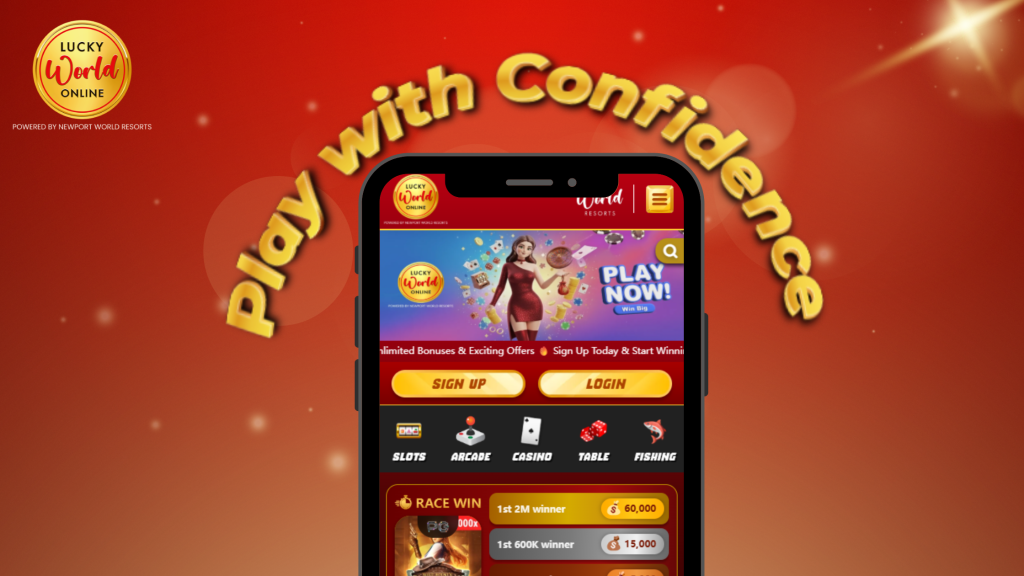
In today’s mobile-first world, players want instant access to their favorite new online casino anytime, anywhere. That’s exactly what Lucky World Online offers through its mobile-friendly platform. While many users search for a traditional app in app stores, it’s important to understand that the Lucky World app download is actually a web-based solution meaning no installation from the Apple App Store or Google Play Store is required.
This guide will walk you through everything you need to know about accessing Lucky World Online app on mobile, including how to install it as a web app, how it works on both Android and iOS devices, and how to log in securely.
What is the Lucky World Mobile App?
Before diving into the steps, let’s clarify one key detail: Lucky World Online operates as a web app, not a native mobile application.
This means:
- You don’t need to download it from official app stores
- It runs directly from your mobile browser
- You can still “install” it on your device for quick access
Essentially, it behaves like a regular app but without requiring a full APK or App Store installation. This approach is common for many platforms offering a casino app Philippines experience while bypassing app store restrictions.
Why Lucky World Uses a Web App
There are several advantages to using a web-based platform instead of a traditional app:
- No app store restrictions: Many gaming apps face limitations on Google Play and Apple App Store
- Faster updates: Changes happen instantly without requiring users to update manually
- Less storage usage: No large files or downloads needed
- Cross-device compatibility: Works on both Android and iOS devices seamlessly
This makes the Lucky World mobile app accessible to Filipino Players while maintaining a smooth and responsive user experience in the PHGame industry.
How to Access Lucky World on Mobile
Accessing Lucky World Online is simple and only takes a few steps. You can use any modern browser such as Chrome or Safari.
Step 1: Open Your Mobile Browser
Launch your preferred browser on your smartphone.
Step 2: Visit the Official Website
Enter the official Lucky World website URL in the address bar.
Step 3: Log In or Register
- Existing users: Enter your username and password
- New users: Create an account by filling out the registration form
Once logged in, you’ll immediately gain access to the full platform, including games, promotions, and account settings.
How to Install Lucky World as a Web App (Android)
Although there is no traditional APK download, Android users can still install Lucky World as a shortcut on their home screen.
Steps for Android Casino App Setup:
- Open Google Chrome
- Go to the Lucky World website
- Tap the three-dot menu (top-right corner)
- Select “Add to Home Screen”
- Confirm by tapping “Add”
Once completed, Lucky World will appear on your home screen just like a regular Android casino app.
How to Install Lucky World on iOS Devices
For iPhone users, the process is slightly different but just as easy.
Steps for iOS Casino App Setup:
- Open Safari
- Visit the Lucky World website
- Tap the Share icon (bottom of the screen)
- Scroll down and select “Add to Home Screen”
- Tap “Add” to confirm
This creates a shortcut that functions similarly to an iOS casino app, allowing quick and easy access anytime.
Lucky World Online APK Download – Is It Available?
Many users search for a Lucky World APK download, especially Android users. However, since the platform is web-based, there is no official APK file available.
Important reminder:
- Avoid downloading APK files from third-party websites
- These files may be unsafe or unofficial
- Always access Lucky World through its official website
Using the web app ensures you’re always on the latest version without risking your device’s security.
Mobile Casino Login Guide
Logging in on mobile is quick and secure.
Steps for Mobile Casino Login:
- Open the Lucky World Online web app or browser
- Tap the login button
- Enter your registered credentials
- Complete any verification if required
For better security:
- Use strong passwords
- Avoid saving login details on shared devices
- Enable additional security features if available
Features of the Lucky World Online App Mobile Experience
Even though it’s not a traditional app, the Lucky World mobile platform offers a full-featured experience.
1. User-Friendly Interface
The platform is optimized for mobile screens, making navigation smooth and intuitive.
2. Fast Loading Speeds
Games and pages load quickly, even on standard mobile data connections.
3. Full Game Access
You can enjoy the same games available on desktop, including slots and live casino options.
4. Secure Transactions
Deposits and withdrawals can be done safely through mobile-friendly payment methods.
Tips for Installing Lucky World Online App Successfully
To ensure a smooth setup process, keep these tips in mind:
Use the Right Browser
- Android: Google Chrome is recommended
- iOS: Safari works best for adding to home screen
Check Internet Connection
A stable connection ensures proper loading and installation.
Clear Cache if Needed
If the site isn’t loading properly, clearing your browser cache can help.
Common Issues and Fixes
Here are some common problems users encounter and how to solve them:
Issue: “Add to Home Screen” Option Not Visible
Fix:
- Make sure you’re using the correct browser (Chrome or Safari)
Issue: Website Not Loading Properly
Fix:
- Refresh the page or switch to a different browser
Issue: Login Errors
Fix:
- Double-check your username and password
- Reset your password if needed
Is Lucky World Online App Safe to Use?
Yes, as long as you access the platform through its official website. The web app uses modern security protocols to protect user data and transactions.
To stay safe:
- Avoid unofficial download links
- Do not share your login details
- Always verify the website URL before logging in
Final Thoughts

The Lucky World app download process is simple once you understand that it operates as a web app rather than a traditional mobile application. With no need for an APK download or App Store installation, players can enjoy instant access on both Android and iOS devices.
By following the step-by-step setup guide, you can easily install Lucky World on your home screen and enjoy a seamless mobile casino login experience. Whether you’re using an Android casino app setup or an iOS casino app shortcut, the platform delivers convenience, speed, and accessibility all without taking up storage space on your device.
If you’re looking for a flexible and easy way to play your favorite online slot games, installing Lucky World as a web app is the best and safest option available in 2026.